Architecture
Three pictures of refereekit: where the paper’s text may go, who decides what, and how one review runs over time. The first two use four colors. Green is refereekit, and amber is what it adds to your agent. Purple is a service or file it does not own. Red is a step only you take.
The big picture
Section titled “The big picture”You chat with a coding agent. Its model calls refereekit’s tools, which answer with counts, codes and page numbers only. You ask the questions, give the verdict, read the answers and edit the drafts in a private view. refereekit never gives what it shows there to the agent’s model. You submit by hand.
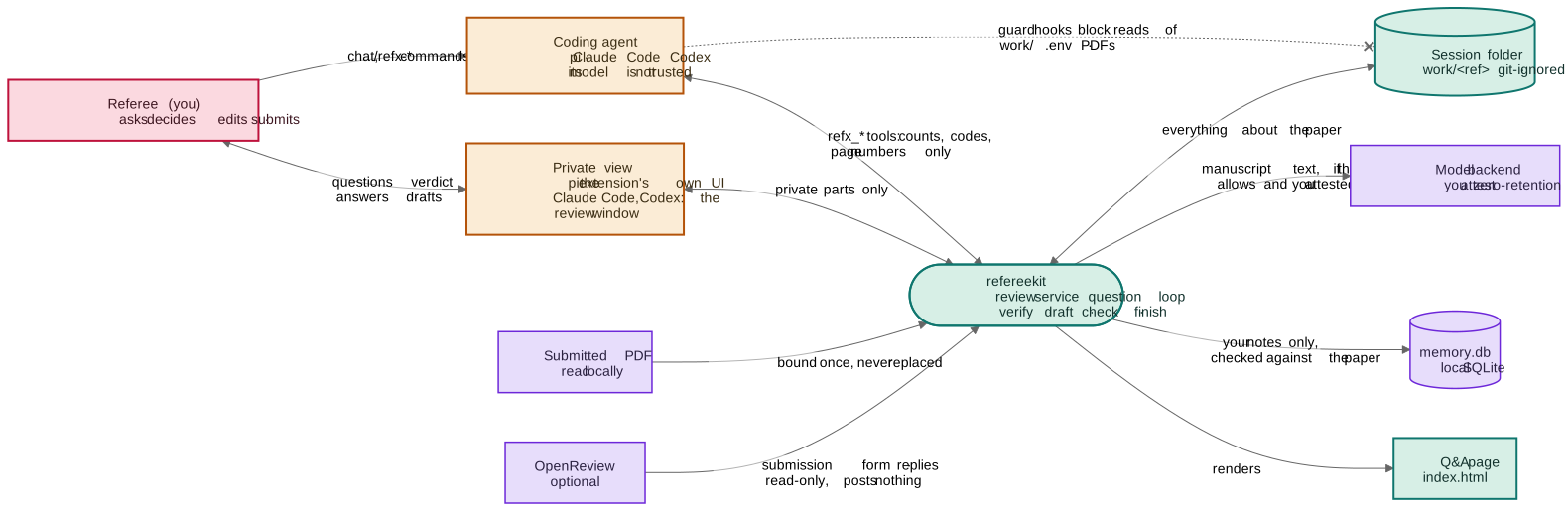
The paper’s text leaves your computer by one route: the model backend. Two checks stand on it, in order. The venue gate refuses a venue known to forbid outside models. Then refereekit refuses any backend you have not declared keeps no data. OpenReview is read-only. The memory file holds your own notes, each checked against the paper before it is stored.
Where you stay in control
Section titled “Where you stay in control”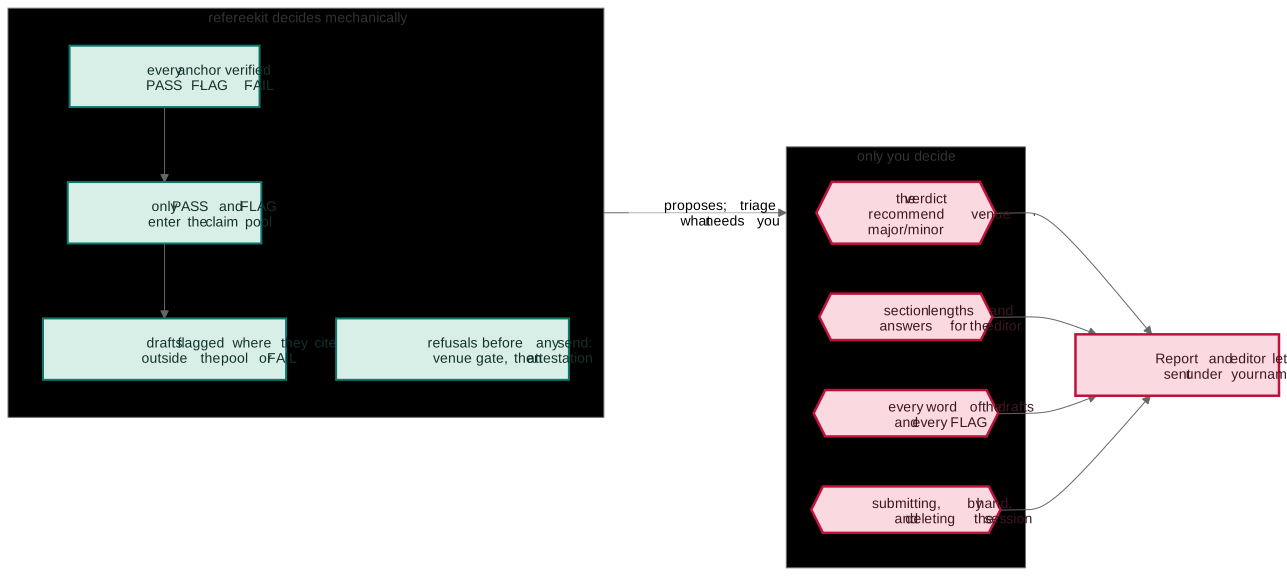
refereekit’s decisions are mechanical and repeatable. The same quotation on the same page gets the same verdict every time. Every judgment is yours. The triage list puts what needs you first, so you read a list rather than a transcript.
How one review flows over time
Section titled “How one review flows over time”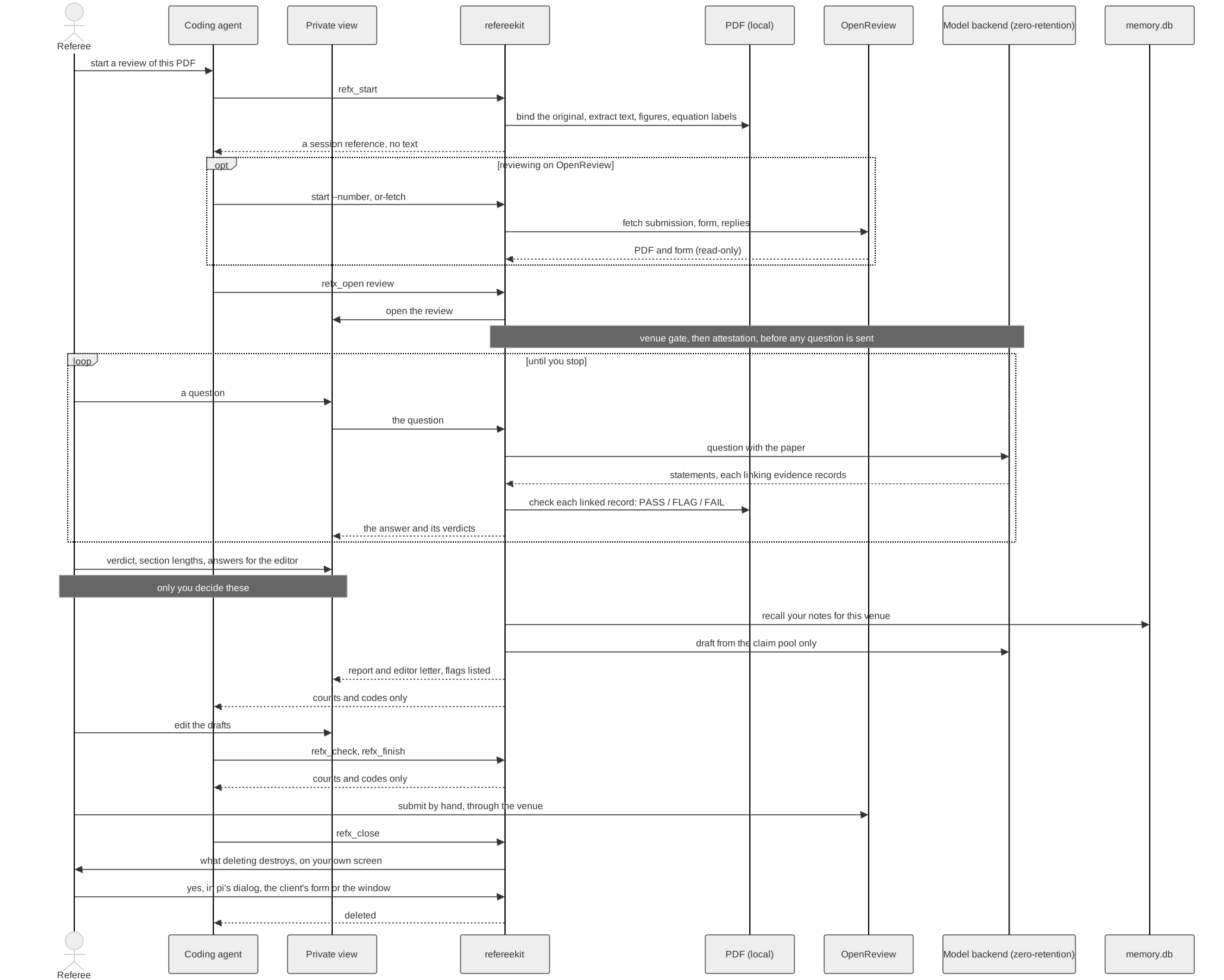
The agent starts the session, opens each view, checks the drafts and asks to delete the session at the end. The questions and the drafts send the paper’s text, but only from refereekit’s own process, through your model backend. No paper, question, answer, verdict or draft goes from refereekit to the agent’s model.
Why it is built this way
Section titled “Why it is built this way”- Confidentiality is in the structure. The paper reaches a model only through one gate. The agent’s model is never trusted with it. This prevents accidental leaks. It is not a sandbox.
- Verification is narrow on purpose. A
PASSon a quotation means these words are on that page, and nothing broader. It would rather refuse than assert. A falsePASSwould put a wrong citation in a report under your name. - A session is bound to one PDF. A claim checked against one version is never read again against another.
- Your edits are kept. A draft you edited is replaced only on your yes, and the earlier copy is kept.
- Notes hold your words, never the paper’s.
Everything drawn is built and tested offline. The agent integrations are not yet checked against the real agents (see Reviewing in your coding agent).